
whitey
Administrator
- Joined
- Apr 27, 2019
- Messages
- 76
- Thread Author
- #1
Nixware MCP + AI
In the latest update, we significantly expanded Nixware's existing Lua API. It now offers more customization options: you can create your own styles, add ESP elements, change the interface, and define your own display logic.
Giving an indicator a new look shouldn't mean building an entire ESP system. Game data, rendering, events, and ESP Builder integration are already available through the API. You don't need to rewrite and debug the underlying systems. For example, a Lua script registers its element in the ESP Builder, where it can be previewed, moved, and configured alongside built-in elements. The client handles placement and saved settings, while the script defines the appearance and behavior you want.
But even with a convenient API, someone still has to write the code, load it, and check the result. We decided to make that part easier too.
MCP, or Model Context Protocol, lets you connect an AI agent to a program and give it tools to work with that program. The agent can take action on its own rather than explain where you should click and what you should copy.
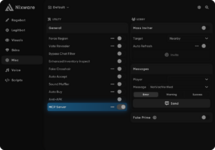
We've added an MCP server to Nixware. The agent can now read and change settings, load Lua scripts, retrieve logs, and take screenshots directly from the game. With access to the documentation and your scripts folder, it can handle the full development cycle: write the code, run it, check the result, fix errors, and check again.
You describe what you want, review the result, and ask for adjustments. There's no need to move code and error messages between the chat and the client after every revision.
Here are a few examples of how this works.
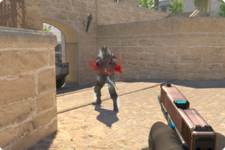
Add a brief electrical effect to the enemy model when I hit them. Limit how often it can trigger so the effects don't pile up.
Add Minecraft-style health and armor bars to the ESP. Integrate their settings into the ESP section and add the elements to the ESP Builder so they can be positioned and configured alongside the built-in ones.
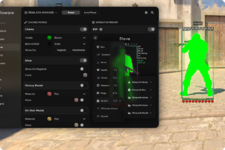
In Minecraft ESP, health is shown as hearts and armor as chestplate icons. The settings are integrated into the ESP section, and the elements are available in the ESP Builder with previews and drag-and-drop placement. The script uses the client's existing interface, so it didn't need separate menus or a layout editor.
After finishing the Minecraft ESP, I couldn't resist taking it further and building a full HUD in the same style.
Now build a full Minecraft-style HUD. Add a hotbar, hearts and armor icons, ammo information, a player list on Tab, and a side panel with match statistics. Use pixel-style fonts and icons throughout.
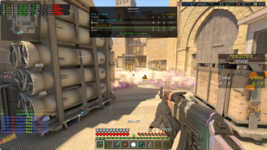
Almost the entire visual setup in this screenshot was made with AI. It created custom styles for Proximity Warning, Offscreen Arrows, and the Status Bar, built a full Minecraft-style HUD with hearts, armor, and a hotbar, and styled the scoreboard, stats panel, and hit logs. Everything shares a consistent look, with settings integrated directly into the Nixware menu.
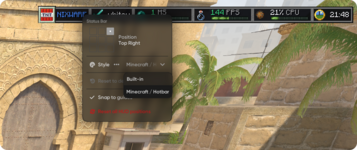
All three examples work in-game. You can use the same approach to have an agent configure your existing visuals or create an add-on of your own.
To try it, enable MCP Server in Nixware's settings, connect a trusted agent through an MCP-compatible client, and give it access to your scripts folder. The documentation is available at docs.nixware.cc.
The quality of the implementation depends on the model you choose. The difference is that the agent now has tools to check its work in the client and refine it, rather than stop at the first version of the code.
The attached archive contains all the scripts used in the examples throughout this thread.
Attachments
Last edited: